![Nav Support Center.svg]](https://help.foodnotify.com/hubfs/Support%20Center/Design/Nav%20Support%20Center.svg)
How accurate your numbers are depends on how complete your data is. FoodNotify compares two values:
- Theoretical consumption – what your sales should have used according to your recipes.
- Actual consumption – what results from your stock movements and stocktakings.
For each ingredient FoodNotify calculates: opening stock + goods receipt ± transfer − waste − sales = expected stock. The stocktaking shows what is really there. Every missing booking distorts this calculation – and with it your cost of goods. Use this checklist to close the gaps.
1. Complete your master data
Every product in Inventory needs a storage location and a commodity group. The Completion dashboard in the sidebar shows how far you are.
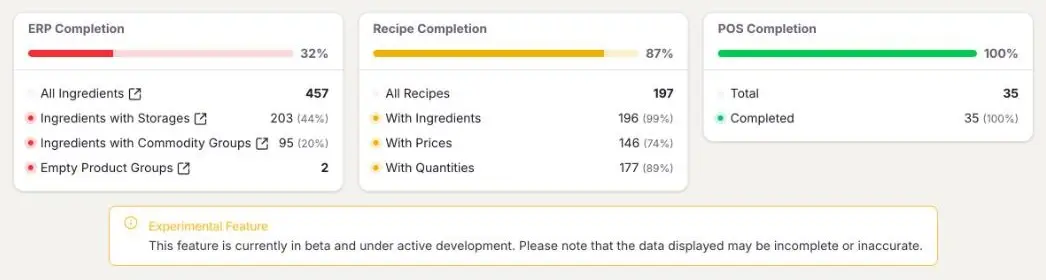
- Completion dashboard: Is my data complete?
- ERP Completion: Is my Inventory fully set up?
- How do I create storage locations? · How do I create commodity groups?
2. Recipes with ingredients, quantities and prices
Theoretical costs come only from recipes. Every recipe you sell needs its ingredients with quantities and prices. Pay attention to the right units – a wrong unit can quickly distort consumption many times over. In the Completion dashboard, Recipe Completion shows where something is still missing.
3. Connect your POS system and map your POS items
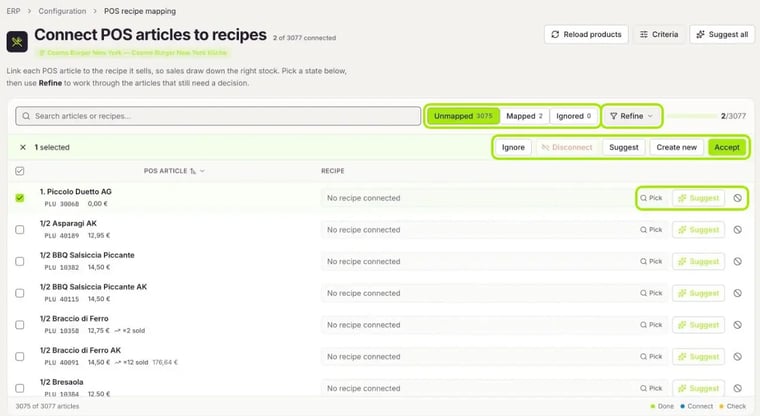
Connect your POS system to FoodNotify and every POS item to the matching recipe. Only then do your sales deduct the right ingredients. Which POS items need a recipe is explained here: Which POS items need a recipe?
4. Book every goods receipt
Import every delivery into Inventory – with the delivered quantities and prices. It is faster with the automatic order import, delivery note matching and digital delivery notes (DESADV). Goods that arrive without an order in FoodNotify are added to stock manually.
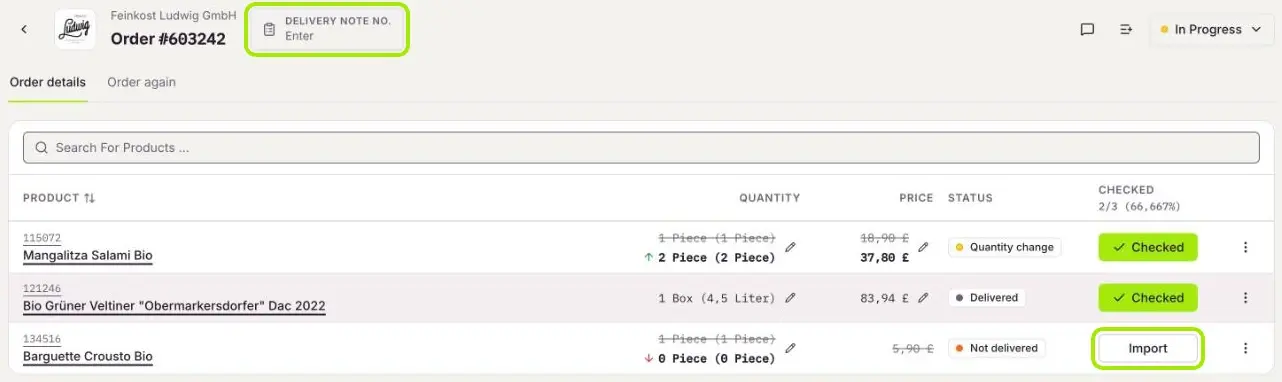
- How do I import an order into Inventory?
- How does the automatic order import work?
- How does the automatic delivery note matching work?
- Process digital delivery notes (DESADV) correctly
- How do I manually remove products from stock or add them?
5. Book stock transfers
If you pass goods on to another location or cost centre, book them under Inventory › Stock transfer. Otherwise the goods are missing in one location and turn up unplanned in the other. Under Requests you request goods from another location.
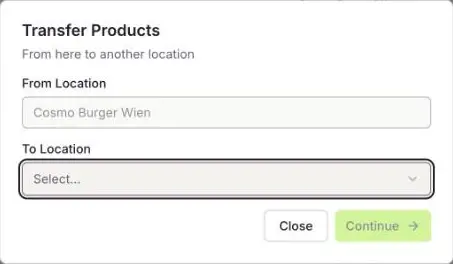
More: Stock transfer: How do I transfer products to another location or cost centre?
6. Record food waste
Record breakage, spoilage and raw waste under Inventory › Food waste. This way you separate explainable waste from unexplained losses – and see it in Insights under Food Waste.
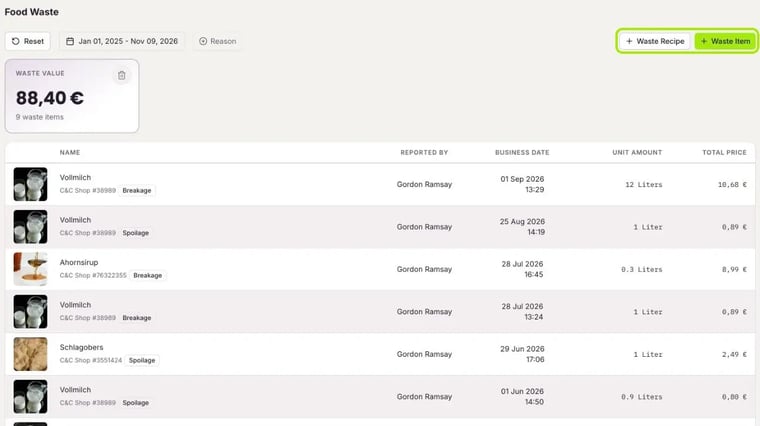
More: Recording food waste: less waste, more profit
7. Map your pre-production
If you prepare something in advance, such as sauces, doughs or stocks, create it as a pre-production article. This keeps stock levels and consumption right for ingredients you make yourself.
More: How do I create pre-production articles?
8. Record sales without a POS system
If you sell something outside your POS system, for example at events, or if no POS system is connected, record the sale manually under Inventory › Sales. Every sale deducts the ingredients of the recipes sold from your stock.
More: Sales in Inventory: POS or manual sale
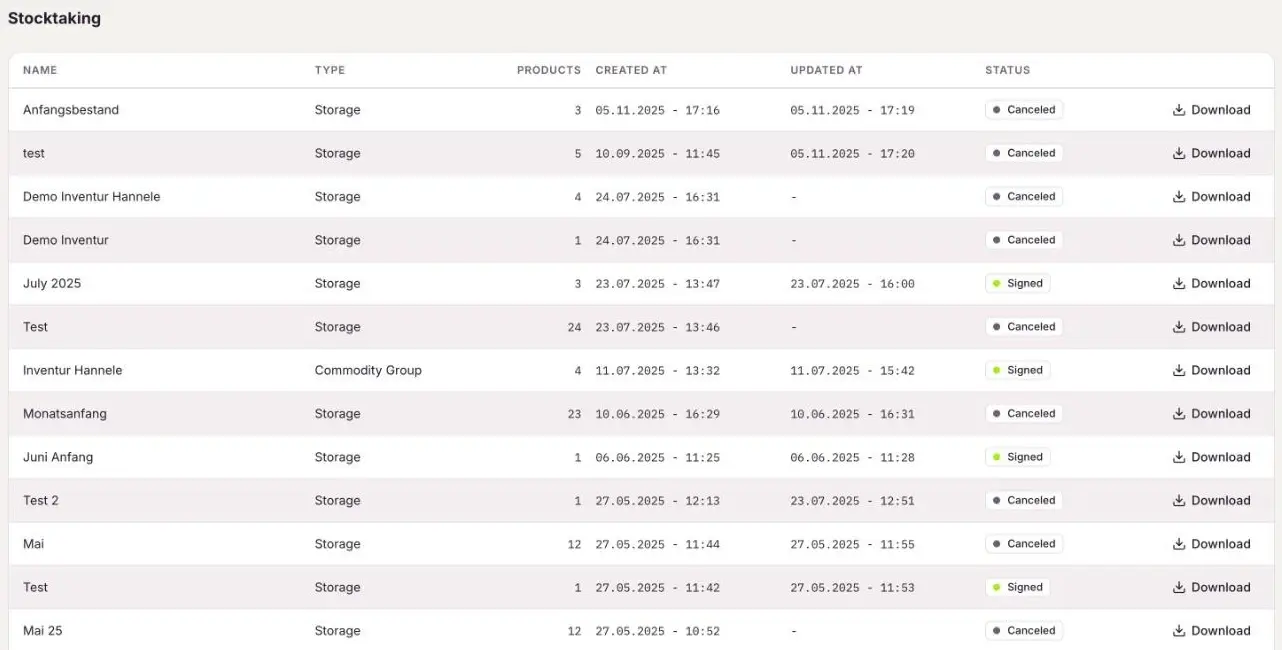
9. Do stocktakings regularly
The stocktaking shows what is really in stock and corrects the expected stock. Count in the units you set for stocktaking on the product, and do your stocktaking regularly – for example every month on the same cut-off date.
10. Check variances in Insights
In Insights you compare actual and theoretical values per ingredient. Sort by Variance and click an ingredient to see its daily stock movements. If a goods receipt is missing or the stock is negative, check the bookings for this ingredient.
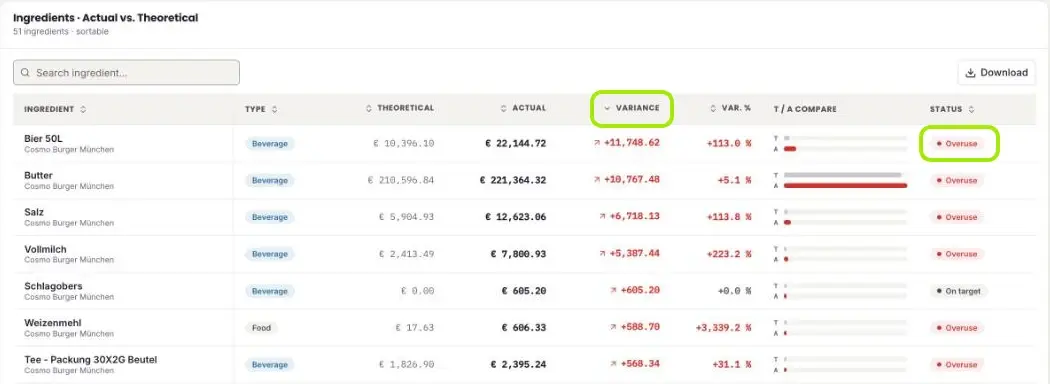
More: Insights: How do I compare actual costs with theoretical costs?
Common causes of wrong numbers
- Theoretical cost too low: POS items without a recipe, recipes without quantities or prices.
- Negative stock: goods receipt or transfer not booked.
- Large stocktaking difference: counted in the wrong unit, waste not recorded or pre-production not mapped.
- High overuse of one ingredient: recipe quantity too low, portions larger than in the recipe or waste not recorded.