![Nav Support Center.svg]](https://help.foodnotify.com/hubfs/Support%20Center/Design/Nav%20Support%20Center.svg)
If you have several locations, it's best to create standard recipes once in My database and then import them into the locations. If a recipe changes later, you transfer the change with a new import.
Create a recipe in the database
- Open Recipes › Recipes database and click My database.
- Click Add new recipe. You create the recipe exactly as in your recipes: How do I create a recipe?
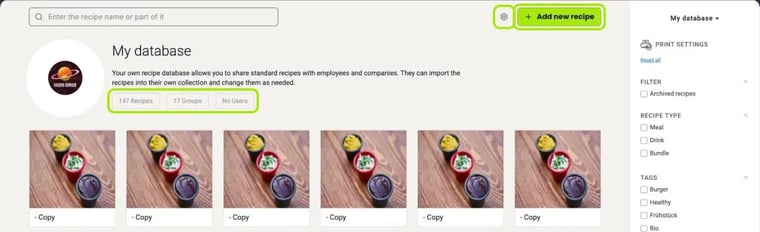
The gear icon takes you to the settings of your database.
Import a recipe
- Open the recipe in the database.
- Click Import recipe.
- The Importing recipes window shows the recipe and every recipe it contains as an ingredient. For each one, choose under Choose option what should happen.
- Leave Assign recipes to the locations ticked – or expand the list and choose individual locations.
- Click Perform actions.
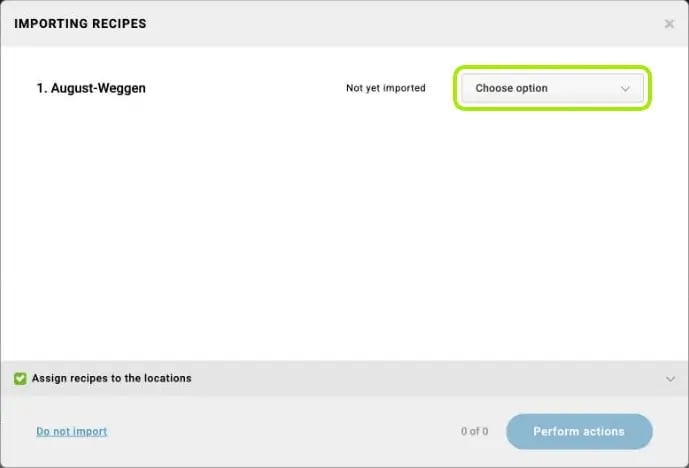
Which option is right?
- Import: for recipes you bring into the locations for the first time.
- Import as duplicate: creates an additional copy; the existing recipe stays unchanged.
- Overwrite existing: replaces the already imported recipe in the selected locations with the current version from the database. Use this option when you have changed the recipe in the database.
- Do not import: for example for a sauce that is only an ingredient of the recipe and shouldn't go into the locations as a recipe of its own.
Next to each recipe you see whether it is Not yet imported or Already imported. For recipes that are already imported, you can choose between Import as duplicate, Overwrite existing and Do not import.
Caution: When you overwrite, any changes made directly to the recipe in the locations are lost – including in locations you don't have access to yourself.
Import several recipes at once
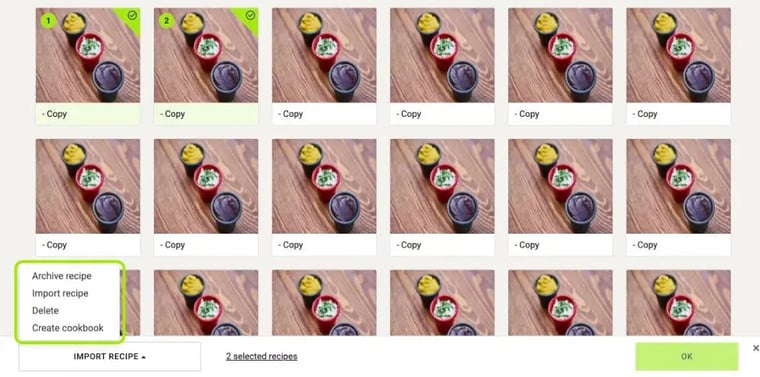
- In the database, select the recipes you want with the tick at the top right of each tile.
- At the bottom, choose Import recipe and click OK.
- In the Importing recipes window, set the option for each recipe and click Perform actions.
Permissions
For your staff to be allowed to import and update recipes, they need the permissions Import from recipe database and Overwrite/update imported recipes: How do I create roles for users?
How the locations find out about changes: How do I get notified about changes to the original recipe?