![Nav Support Center.svg]](https://help.foodnotify.com/hubfs/Support%20Center/Design/Nav%20Support%20Center.svg)
With the app, you record food waste exactly where it happens. Later you can see what gets thrown away and why – and your stock levels stay right.
Record waste
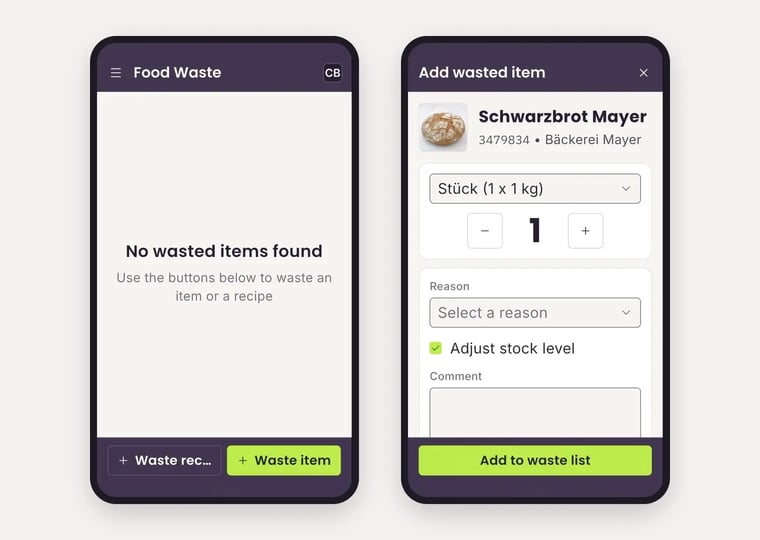
- Open Food Waste in the menu. If nothing has been recorded yet, you see No wasted items found.
- Tap Waste item at the bottom – or the button for recipes if you throw away a whole dish.
- Search for the product and tap it.
- Choose the unit and set the quantity with − and +.
- Under Reason, choose why the product is being thrown away.
- Leave Adjust stock level checked so that the quantity is deducted from your stock.
- Add a Comment if needed.
- Tap Add to waste list.
Tip: If you have a product open under Products, tap Waste at the bottom. The form then opens directly with this product.
You can only record products that are in your Inventory.
Reports in the browser
You see all entries and reports in the browser: Recording food waste: less waste, more profit