![Nav Support Center.svg]](https://help.foodnotify.com/hubfs/Support%20Center/Design/Nav%20Support%20Center.svg)
The product data in FoodNotify come from your suppliers. Not every supplier transmits all data, and some details change all the time. These are the most common reasons:
I see no products or too few
- Under My Products you only see products from your supplier's ordering list and products you have already ordered via FoodNotify. You decide what appears there under Shop › Settings. You find the full range under All Products.
- Lists with orderable products are active for this supplier. Then you can only order products that are on such a list. More: FAQ – How do I create lists for ordering?
Allergens, nutritional values or additives are missing
The supplier does not transmit these data, or there are no values for the product.
The price is wrong or the product is not available
- It is a seasonal product and currently not in the range.
- You have not ordered the product for a long time. Some suppliers remove such products from your customer range.
- You have never ordered the product, so it is not in your range.
- The prices have not been updated yet, or their validity has expired.
In the cart you recognise such cases by their colour: items highlighted in orange cannot be delivered on the selected delivery date. Items highlighted in red lack information and cannot be ordered.
What can you do?
That depends on who maintains the data:
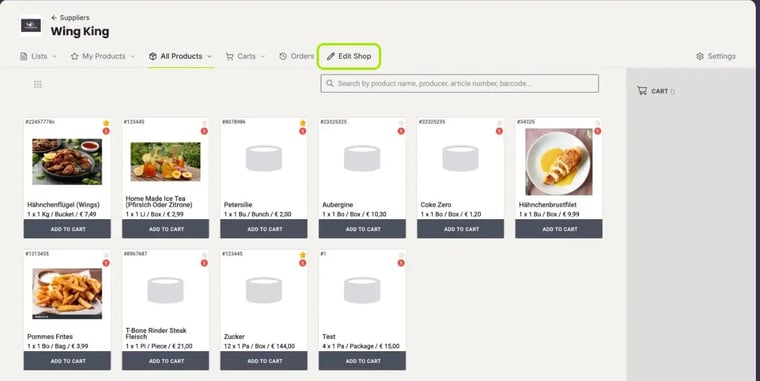
- You manage the supplier yourself: Then you see the Edit Shop tab at the supplier. There you add or correct the product data under Products.
- The supplier is connected: Then there is no Edit Shop tab, and neither you nor we can change the data. Contact your account manager at the supplier. You find their contact details at the supplier under Settings.
Do you think something goes wrong with the data transfer? Then contact us and choose the category Faulty Product Data.
In detail: Why are product data, prices or other details not displayed correctly?