![Nav Support Center.svg]](https://help.foodnotify.com/hubfs/Support%20Center/Design/Nav%20Support%20Center.svg)
The Recipe Viewer shows your recipes in full screen – made for the tablet in the kitchen. Open Recipes › Recipe Viewer.
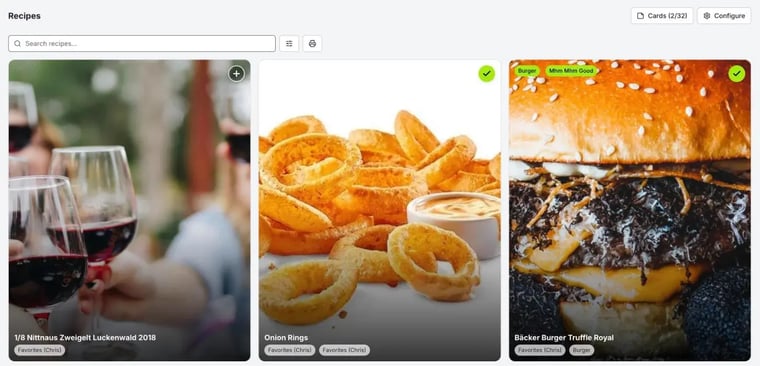
At the top, you search for recipes and filter by recipe groups. The printer icon creates a PDF of the recipes found.
View a recipe
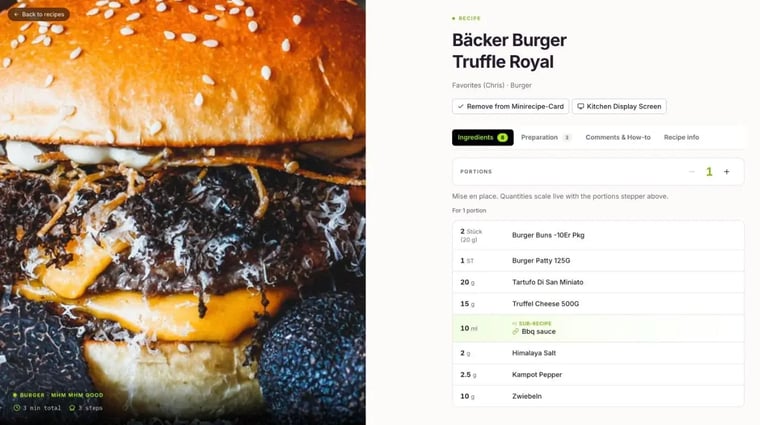
Tap a tile to open the recipe. The tabs contain Ingredients, Preparation, Comments & How-to and Recipe info. With the Portions control, FoodNotify converts all quantities instantly.
Cooking mode
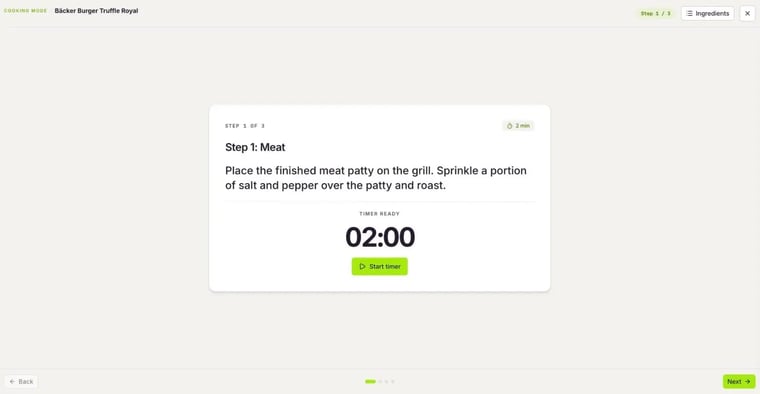
Kitchen Display Screen starts the cooking mode: each step appears large and easy to read, and you move through the steps with Next and Back. If a step has a duration, Start timer starts the timer. Ingredients shows you the ingredients list at any time.
Print mini recipe cards
For the pass or a station, you print compact recipe cards:
- Tap + on the recipe tiles you want. A tick shows that the recipe is on the card. Up to 32 recipes fit on one mini recipe card.
- Tap Cards at the top.
- Check the selection. Remove takes out individual recipes; the red bin empties the card.
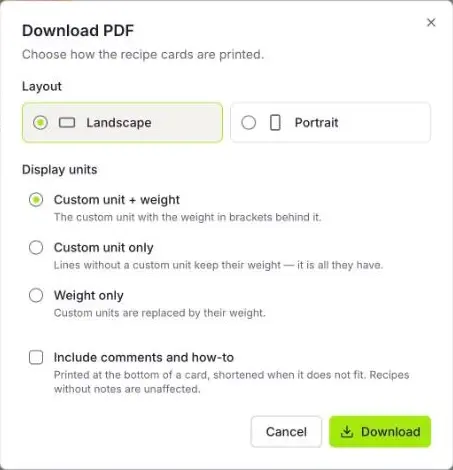
- Tap the download icon. In the Download PDF window, choose the layout (landscape or portrait), how units are displayed and whether comments and preparation are printed too.
- Tap Download.
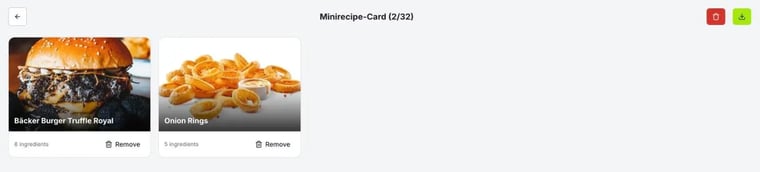
Your selection is remembered by the browser you're working in. On another device, you start with an empty card.
Which recipes appear?
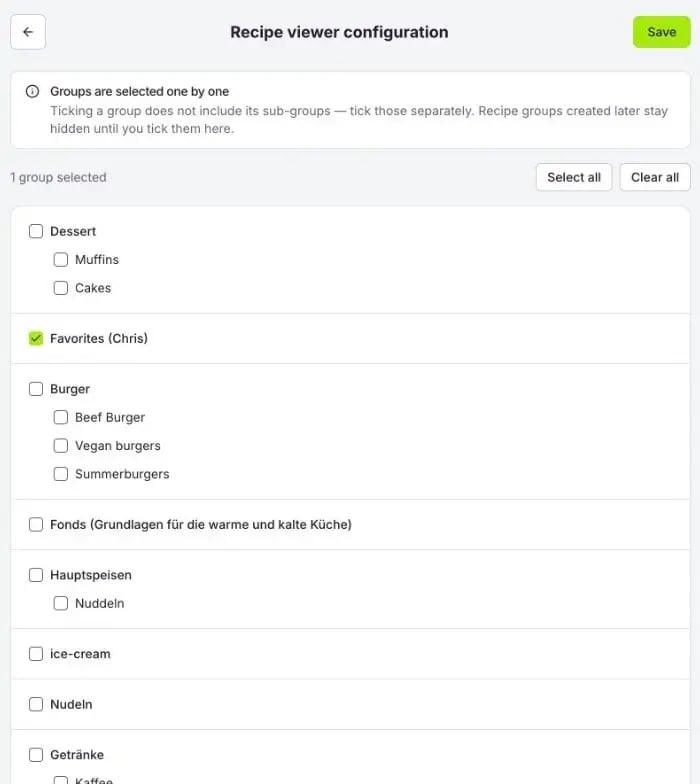
With Configure, you decide which recipe groups the Recipe Viewer shows. You tick each group individually – subgroups aren't included automatically. Recipe groups created later stay hidden until you tick them here. If you save without a single group, the viewer shows all recipes again.
More about recipe groups: How do I create recipe groups?