![Nav Support Center.svg]](https://help.foodnotify.com/hubfs/Support%20Center/Design/Nav%20Support%20Center.svg)
Do you need more products or have a question about an order? You find the contact details of your contact person at the supplier directly in FoodNotify.
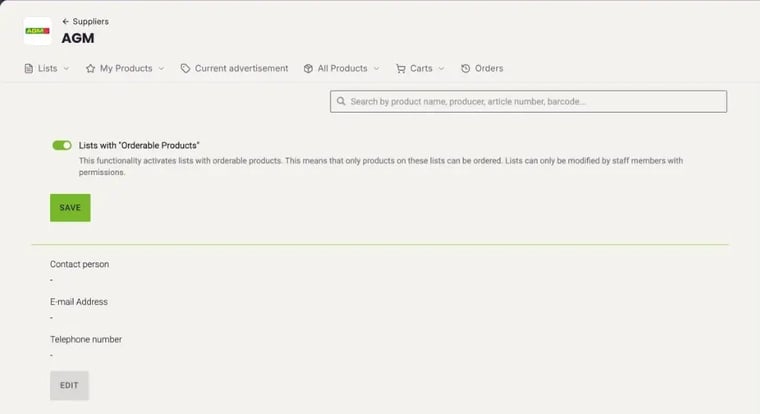
- In the sidebar, click Shop › Suppliers and open the supplier.
- Click Settings at the top right. The name, email address and phone number of the contact person are shown at the bottom.
Who can change the contact details
- Your own suppliers that you created yourself have the Edit Shop tab. For them, you maintain the contact person yourself: in the settings, click Edit, enter the name, email address and phone number and click Save. Users with the permission Settings in the Shop area can do this.
- All other suppliers: the FoodNotify team maintains the contact person. If the contact details are wrong or missing, let us know.
How to assign permissions: How do I create roles for users?
For your own suppliers, you also set the email address your orders are sent to under Edit Shop: How do I add my own supplier and manage its products?