![Nav Support Center.svg]](https://help.foodnotify.com/hubfs/Support%20Center/Design/Nav%20Support%20Center.svg)
Does your team work in several languages, or do you need your menu in two languages? Then maintain your recipes in several languages.
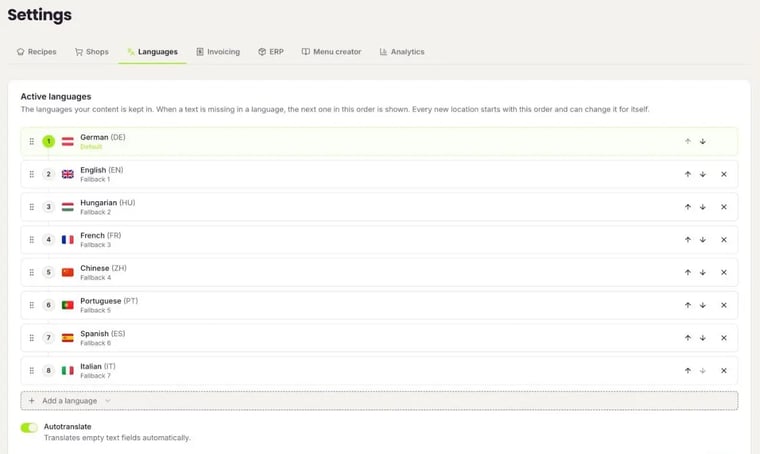
Set your recipe languages
- Click the gear icon at the top right and open Settings › Languages.
- Under Active languages, set the languages in which you keep your recipes. The first one is the default language. If a text is missing in one language, FoodNotify shows the next language in this order.
- Add a language with Add a language. Autotranslate fills empty recipe name and description fields automatically.
- Click Save.
Translate in the recipe
- Open the recipe in edit mode.
- At the top of the sidebar, click the language you want, for example EN.
- You now see and edit the texts in this language. With Translate above a field, you have the text translated automatically.
- Click Save recipe.
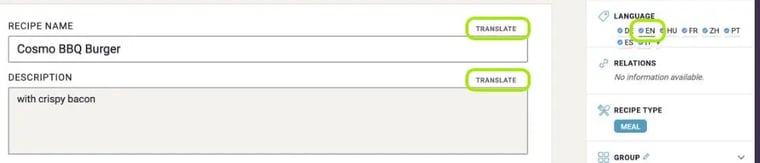
With + next to the languages, you add another language to the recipe.
All settings at a glance: How do I edit the general settings?